

How to Collect and Analyze User Feedback to Improve App Design
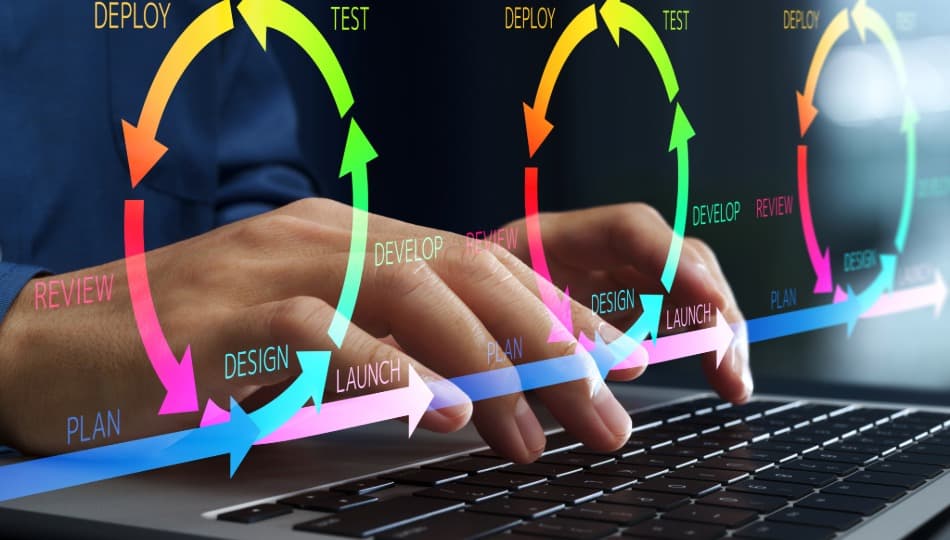
Why Product Teams Must Collect Feedback to Improve App Design
Many apps fail after launch because teams design features based on assumptions rather than actual user behaviour. Even well-planned apps experience drop offs during onboarding, abandoned workflows or features that users never touch.
Learning how to collect feedback to improve app design helps product teams close this gap. When feedback is combined with behavioral analytics and AI driven insights teams can quickly identify usability issues and prioritize the things that matter most.
Research from Amazon Web Services says 88% of online users are less likely to return to a website or app after a bad user experience, how small usability issues can directly impact product adoption and retention. This is forcing companies to build better digital tools that evolve quickly based on user insight.
Companies that collect feedback, analyze behaviour and iterate on design decisions are much more likely to build apps users adopt and use.
Active vs Passive Feedback for App Design Improvement
User feedback typically comes from two primary sources: active feedback and passive feedback.
- Active feedback: occurs when users intentionally provide opinions or comments.
- Passive feedback: is revealed through behavioral signals inside the application.
Combining both types of insight creates a clearer understanding of the real user experience.
| Active Feedback | Passive Feedback |
| Surveys and feedback forms | Feature usage data |
| User interviews | Session duration |
| Usability testing | Drop‑off points in workflows |
| Feature requests | Navigation paths |
| Direct comments or reviews | Onboarding completion rates |
Analyzing these signals together helps product teams validate assumptions and make stronger design decisions.
UX Research Methods That Help Collect Feedback for App Design
Even with all the advanced analytics and AI tools, traditional methods still matter. These provide context that data alone can’t.
In‑App Feedback and Surveys
In-app feedback tools allow users to share their insights while they are using the product. Feedback in context is more accurate than feedback given later.
Effective surveys should:
- Keep questions short
- Focus on a specific feature or workflow
- Avoid leading questions
- Appear at appropriate moments in the user journey
Examples of simple prompts include:
- “Was this feature helpful?”
- “What stopped you from completing this step?”
User Interviews and Usability Testing
Talking to users in depth about their thoughts on a product really helps us get under the hood of how they think and feel. Observing real users perform tasks helps identify friction points that analytics alone may not explain.
Testing with five to eight users often reveals most usability problems. So, look out for signs like a user hesitating, repeating the same action over and over, or just looking completely stumped on how to get from point A to B.
Organizations often pair these insights with structured design improvements through services like our app design and development solutions.
Using Behavioral Analytics for Better App Design
Apps generate tons of behavioral data every day. Product analytics tools help teams make sense of it all and find patterns across thousands of users.
Common insights include:
- feature adoption rates
- onboarding completion
- workflow drop‑offs
- session duration
- retention patterns
Popular analytics platforms include:
- Mixpanel
- Amplitude
- PostHog
- Google Analytics
These platforms allow teams to visualize user journeys and identify where users struggle.
Want a clearer view of how users interact with your product? EspioLabs helps organizations analyze behavioral data and find usability issues with product analytics and UX testing. Learn more about our custom AI and data solutions in Ottawa.
Passive UX Signals That Reveal Hidden Usability Problems
Not every bug gets reported by users. Behavioral signals often reveal friction long before someone submits feedback. Product teams should monitor signals that indicate confusion or design problems.
Common passive signals include:
- rage clicks
- repeated form errors
- navigation loops
- abandoned workflows
Monitoring these signals allows teams to detect usability problems earlier and prioritize improvements.
How AI Helps Analyze User Feedback at Scale
As products grow, feedback arrives from many sources including surveys, support tickets, analytics, and feature requests. Reviewing this information manually becomes difficult.
AI tools help product teams analyze feedback at scale by identifying patterns across large datasets.
Examples include:
- Feedback clustering: Grouping thousands of comments into recurring themes.
- Sentiment analysis: Detecting frustration, confusion, or satisfaction in user feedback.
- Automatic summaries: Generating summaries of recurring product issues.
- Pattern detection: Highlighting repeated complaints tied to specific features.
These capabilities allow teams to move from raw feedback to actionable insight much faster.
Organizations adopting AI‑driven analysis often integrate these systems into their broader AI development strategy.
Using Customer Conversations as Product Feedback
Customer‑facing teams frequently discover usability issues before product teams do. Support interactions reveal the questions, frustrations, and misunderstandings that users encounter when using an application.
Insight sources often include:
- support tickets
- onboarding calls
- customer success meetings
- sales conversations
Repeated questions about a feature often signal unclear design or confusing workflows.
When to Collect Feedback During the App Lifecycle
Feedback should be collected continuously across the product lifecycle rather than only after launch.
- Concept validation: nearly conversations confirm the product solves a real problem.
- Prototype testing: design validation identifies workflow problems before development begins.
- Early launch feedback: initial users reveal onboarding issues and usability friction.
- Post‑launch monitoring: behavioral analytics and support insights highlight emerging problems.
- Major feature updates: new releases should include feedback mechanisms to measure adoption.
Consistent feedback collection allows teams to identify issues earlier and avoid expensive redesigns later.
Turning User Feedback Into Product Improvements
Collecting feedback alone does not improve a product. The real value comes from how teams interpret and prioritize insights.
A structured process helps transform raw feedback into meaningful improvements.
- Identify recurring themes across feedback sources
- Validate patterns using behavioral analytics
- Evaluating business impact
- Prioritize improvements
- Test updates and measure results
This process prevents teams from reacting to isolated opinions and keeps product development aligned with real user needs.
Common Mistakes When Collecting Product Feedback
Even well‑intentioned feedback programs can produce misleading insights.
Common mistakes include:
- Asking leading questions: Questions that push users toward specific answers.
- Collecting feedback without action: Users lose trust when feedback never leads to improvements.
- Over‑reliance on opinions: Behavioral data should validate subjective feedback.
- Too much raw feedback without prioritization: Large volumes of comments can overwhelm teams without structured analysis.
Ready to Improve Your App Design With Real User Insights?
Great applications rarely launch perfectly optimized. They improve through continuous learning about how users interact with them.
User interviews, surveys, behavioral analytics, and AI‑driven insight tools each reveal different aspects of the product experience. When these signals are combined, product teams gain a clearer understanding of where improvements are needed.
EspioLabs helps organizations refine digital products by combining UX research, behavioral analytics, and AI‑assisted feedback analysis. This approach allows teams to detect usability issues faster, understand real user behaviour, and implement improvements that create measurable impact.
Contact us to request an App UX Review to identify usability issues and improvement opportunities or explore EspioLabs AI and software development services to build smarter digital products.