

What Is an AI Automation Agency? How Businesses Are Moving Beyond Basic Chatbots
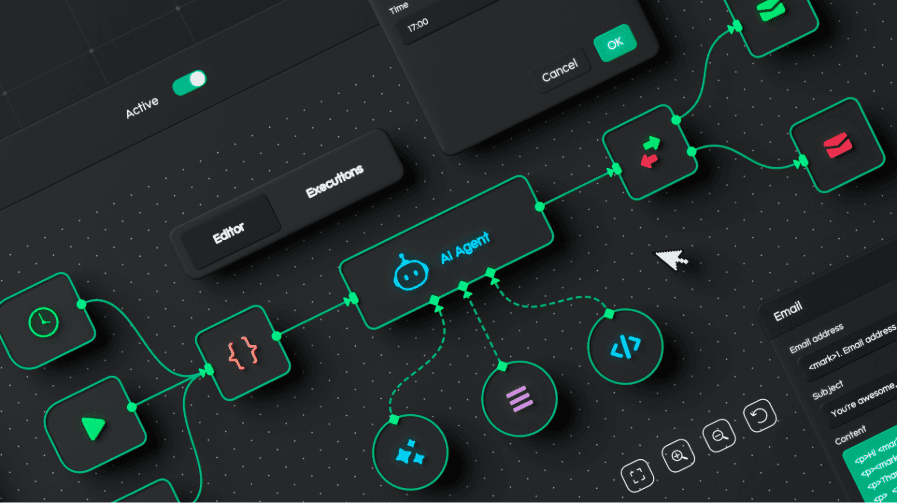
Many businesses hear “AI automation agency” and picture a chatbot on a website, a few connected apps, or someone setting up AI prompts for the team.
That’s only a small part of it.
A useful AI automation agency helps a business take repetitive work, scattered information, manual handoffs, and disconnected tools, then turn them into AI-supported workflows. That might mean routing leads into a CRM, summarizing sales calls, extracting details from documents, helping support teams to triage tickets, or giving employees a private assistant that can search for internal knowledge.
For businesses in Ottawa, Ontario, and across Canada, the real value isn’t having “AI” attached to a workflow. It’s about working faster, with fewer missed steps, less manual copying, and better visibility into what’s happening.
This article breaks down what an AI automation agency does, how AI automation is different from basic automation, what projects make sense, and what to watch for before hiring a vendor.
What Is an AI Automation Agency?
An AI automation agency helps businesses design and implement workflows that use artificial intelligence to interpret information, generate outputs, route tasks, summarize data, support decisions, or trigger actions across existing systems.
That sounds broad because the work can take many forms. One company might need AI to summarize customer calls and update its CRM. Another might need an internal assistant who can answer employee questions from company documents. Another might need to support tickets sorted by urgency, department, customer type, or risk level.
A serious AI automation agency doesn’t start by asking, “Which AI tool do you want?”
It starts by asking where work is getting stuck.
Common examples include:
- AI lead intake
- AI call summaries
- RAG-powered internal assistants
- CRM workflow automation
- Support ticket triage
- Document processing
- Reporting summaries
- AI receptionist workflows
- Internal knowledge search
- Follow-up email drafts
- Task routing between departments
For Ottawa and Ontario businesses, the process often means connecting AI to tools the team already uses, such as CRMs, forms, shared drives, calendars, helpdesk systems, spreadsheets, and reporting dashboards.
The best projects don’t replace the whole process at once. They find one workflow with enough volume, enough structure, and enough business value to make automation worth testing.
Why Businesses Need More Than Basic Chatbots
Early AI adopters often centred their efforts on chat interfaces. A business added a chatbot to its website, answered common questions, and hoped it would reduce support pressure.
That can still help in some cases. But most businesses now need more than a question-and-answer box.
A chatbot answers your queries and prompts. An AI automation workflow helps work move.
For example, a website chatbot might tell a visitor that someone will follow up. An AI lead intake workflow can collect the inquiry, classify the request, check the service area, score the lead, create a CRM record, notify the right person, draft a reply, and flag anything that needs human review.
That difference matters.
Across Canada, many businesses are no longer looking for isolated AI experiments. They want AI automation that connects to real operations and reduces repetitive work without creating extra cleanup later.
| Basic Chatbot | AI Automation Workflow |
| Answers simple questions | Moves work through a process |
| Uses a narrow script | Uses data, rules, and context |
| Sits on a website | Connects to CRM, forms, documents, calendars, and support tools |
| Handles conversations | Supports operational tasks |
| Often works in isolation | Fits into a business process |
| May stop at “contact us” | Can create records, route tasks, draft responses, and trigger next steps |
| Usually has limited memory | Can use approved business data and workflow rules |
A basic chatbot can answer, “What are your business hours?”
An AI automation workflow can help answer, “What should happen next with this request?”
That’s where the value starts to become more practical.
What Does an AI Automation Agency Do?
The work depends on the business, the systems involved, and the risk level of the process. But the strongest AI automation services follow a similar path.
Workflow Discovery
Workflow discovery means mapping how work happens now.
This includes where requests come from, who handles them, which tools are involved, where information gets copied, where delays happen, and which steps require a person to make a judgment call.
A sales team might be losing time because leads arrive through forms, email, LinkedIn, referrals, and phone calls. A support team might be reading every ticket manually before assigning it. An operations team might be building the same weekly report by hand.
Without workflow discovery, AI automation turns into guesswork.
Data Readiness Review
AI needs usable information.
That doesn’t mean the business needs perfect data. It means the agency needs to know what information exists, where it is, who can access it, how current it is, and what should remain private.
A data readiness review may look at:
- Documents and folders
- CRM fields
- Call notes
- Support tickets
- Intake forms
- Internal process notes
- Reporting data
- Permissions and access rules
- Privacy requirements
Canadian businesses should be careful with personal information, customer records, employee data, and internal documents used in AI systems. The Office of the Privacy Commissioner of Canada has published guidance for organizations using generative AI and privacy principles, including attention to appropriate collection, use, disclosure, and safeguards.
AI Use Case Selection
Not every process should be automated.
Good use cases are repeatable, valuable, measurable, and safe enough to try. The process should have a clear owner and enough examples to train or configure the workflow properly.
A weak use case may sound exciting but have unclear rules, poor data, high risk, or too many exceptions. That usually leads to frustration.
A better starting point might be the following:
- Drafting support responses for human review
- Summarizing calls and creating follow-up tasks
- Classifying inbound leads by service fit
- Extracting key details from standard documents
- Creating weekly reporting summaries
- Routing requests based on known business rules
Good AI automation starts small because small workflows are easier to test.
AI System Design
AI system design is where the agency decides how the workflow should work.
This may include language models, automation platforms, APIs, RAG, CRM integrations, approval steps, reporting views, and fallback rules.
For example, a private internal assistant may need retrieval-augmented generation, often called RAG, so it can answer questions from approved business documents. A lead intake workflow may need a form, CRM connection, model classification, notification rules, and a review queue.
This phase is also where risk planning matters. NIST’s AI Risk Management Framework provides organizations with a structured way to consider AI risks, governance, measurement, and management.
Implementation and Testing
Building the workflow is only part of the job.
The agency should test real examples, edge cases, confusing inputs, incomplete information, and situations where the AI should refuse, escalate, or ask for human review.
Testing should answer questions like the following:
- Did the workflow classify the request correctly?
- Did it send information to the right place?
- Did it expose information it shouldn’t have?
- Did it produce a useful draft?
- Did it fail safely?
- Can the team understand what happened?
- Is the workflow faster than the manual version?
When poorly controlled, AI systems can produce wrong or unsafe outputs. OWASP’s Top 10 for Large Language Model Applications covers risks such as prompt injection, insecure output handling, sensitive information disclosure, and excessive agency.
Monitoring and Improvement
AI automation isn’t finished the day it launches.
The business should track accuracy, adoption, time saved, user feedback, handoff quality, and failure cases. The workflow may need new rules, better prompts, tighter permissions, cleaner data, or clearer human review points.
This area is where many weak AI projects fall apart. They get launched, but nobody checks whether they’re actually helping.
Practical AI Automation Examples for Ottawa Businesses
For businesses in Ottawa, Ontario, and other Canadian markets, AI automation projects often start with internal workflows before expanding into customer-facing systems.
| Business Area | AI Automation Example | Why It Matters |
| Sales | Lead intake, scoring, CRM updates | Helps sales teams respond faster and reduce missed opportunities |
| Support | Ticket triage and response drafts | Helps support teams sort requests and prepare replies faster |
| Admin | Document extraction and task creation | Reduces manual entry and copying between tools |
| Operations | Approval routing and workflow summaries | Helps teams track what needs attention |
| Marketing | Campaign summaries and briefing workflows | Reduces manual reporting time |
| Customer service | AI receptionist and call summaries | Captures inquiries and reduces missed details |
| Knowledge management | RAG chatbot for internal documentation | Helps employees find answers from approved sources |
| Finance admin | Invoice intake and coding support | Reduces repetitive review work |
| HR admin | Candidate screening summaries | Helps teams compare applications more consistently |
An AI automation strategy can help identify which workflows are ready for automation and which ones require better data or structure before they can be automated.
AI Automation Agency vs Automation Consultant
An automation consultant usually focuses on rules-based automation. That could mean connecting forms to spreadsheets, sending notifications, updating CRM fields, or building workflows in tools like Zapier, Make, HubSpot, Salesforce, or Airtable.
That work can be valuable.
An AI automation agency usually deals with messier inputs. Text, calls, emails, documents, support tickets, and internal knowledge are harder to automate with simple rules. AI can help interpret that information, but it needs stronger planning, testing, review, and privacy controls.
| Factor | Automation Consultant | AI Automation Agency |
| Main focus | Automating repeatable tasks | Building AI-supported workflows |
| Data type | Structured fields and triggers | Text, documents, calls, chats, CRM records |
| Common tools | Zapier, Make, CRM workflows | LLMs, APIs, RAG, agents, automation platforms |
| Output | Rules-based automation | AI-assisted summaries, routing, drafting, classification, and actions |
| Risk | Broken logic or missed triggers | Data leakage, hallucinations, weak review steps, poor access control |
| Best fit | Clear if-this-then-that processes | Workflows with language, judgement, documents, or unclear inputs |
| Review needs | Usually lower | Often higher, especially at launch |
An AI automation consultant in Ottawa might help a team connect forms and notifications. An AI automation agency may go further by connecting those same workflows to document review, CRM notes, call summaries, internal policies, and human approval queues.
The right choice depends on the problem.
Simple automation may be adequate if the workflow is simple and well -defined. If you’re reading, summarizing, classifying, or generating information, then AI workflow automation might be a better option.
What Makes a Good First AI Automation Project?
Good AI automation projects have a few traits in common.
They don’t begin with “we need AI.” They begin with a workflow that is slow, repetitive, visible, and worth improving.
A strong project usually has:
- A repetitive workflow
- A clear business owner
- Enough data or examples
- A defined outcome
- A low-risk starting point
- A human review option
- Integration with current systems
- Measurable time or cost savings
- Clear rules for privacy and access
- A way to track errors and corrections
Here’s a simple test.
If your team can explain how the work happens now, what slows it down, what a good output looks like, and who should review it, the workflow may be ready for AI automation.
If nobody can explain the process, automation will likely expose confusion rather than fixing it.
What to Check Before Hiring an AI Automation Agency
The AI services market is crowded. Some vendors are strong technical partners. Others are selling generic packages with little concern for process, testing, privacy, or long-term use.
Watch for these red flags:
- They lead with tools before asking about your process.
- They promise full autonomy too early.
- They ignore privacy and data access.
- They don’t talk about hallucinations.
- They skip human approval steps.
- They avoid measurement.
- They can’t explain how the workflow will be tested.
- They sell generic AI packages without learning the business.
- They treat every workflow like a chatbot problem.
- They don’t ask who owns the process internally.
- They can’t explain what happens when the AI is wrong.
A vendor should be able to explain the workflow in plain language. They should show where AI is involved, where people stay involved, what data they use, and what happens when the system is uncertain.
For businesses in Canada, privacy and data handling should be part of the discussion from the beginning. When an AI vendor dismisses those concerns as mere paperwork, it becomes a problem.
Signs Your Business Is Ready for AI Automation
Your business may be ready for AI automation if the same manual work keeps showing up across the team.
That doesn’t mean every task should be automated. It means one workflow may be ready for a controlled test.
Signs include:
- Your team repeats the same admin tasks every week.
- Information moves between tools manually.
- Leads, tickets, or documents need regular routing.
- Employees spend time summarizing calls, emails, or reports.
- Your CRM or internal systems are underused.
- Your team wants AI but has no clear plan.
- You can identify one workflow to test first.
- Your Ottawa, Ontario, or Canada-based team is handling too much manual intake, reporting, routing, or follow-up across disconnected tools.
- Managers are requesting updates that may already be available in our existing resources.
- Staff rely on memory because internal information is hard to find.
A common pattern is simple: the information exists, but it takes too much human effort to find it, move it, clean it, or turn it into the next step.
How to Start Without Overbuilding
The safest way to begin is to pick one workflow and improve it.
Start with something small enough to test but useful enough to matter.
1. Pick One Repeated Workflow
Choose one process that happens often. Lead intake, call summaries, support triage, document extraction, or weekly reporting can work well.
Avoid starting with the highest-risk process in the business.
2. Map the Current Process
Document how the workflow currently operates.
Where does the request start? Who touches it? What systems are involved? What gets copied? What gets missed? What slows the team down?
This step often reveals the real problem before AI enters the conversation.
3. Identify the Human Decision Points
Some steps should still be with people.
A person may need to approve a response, check sensitive information, review a high-value lead, confirm a support escalation, or make a final decision.
AI can prepare for the work. It doesn’t need to make every decision.
4. Review Available Data
Please review the information that the workflow depends on.
Is it accurate? Is it current? Is it stored in the right place? Are permissions clear? Are there examples of positive and bad outputs?
Poor data creates weak automation.
5. Define Success Metrics
Decide what success means before building.
That could include:
- Faster response times
- Fewer missed inquiries
- Less manual data entry
- Better CRM completion
- Faster ticket assignment
- More consistent reporting
- Reduced admin time
- Higher employee adoption
The metric should connect to a real business problem.
6. Build a Small AI-Assisted Workflow
The first version should be narrow.
For example, the AI might summarize a call, create a draft follow-up, and suggest CRM fields. A person can review the output before anything is sent or saved.
That provides the team with a chance to build trust.
7. Test With Real Examples
Use real examples from the business, not clean demo data.
Test short requests, messy requests, incomplete requests, odd phrasing, duplicate entries, and edge cases. The goal is to see how the workflow performs outside a perfect sales demo.
8. Expand After Results Are Clear
Once the workflow performs well, the business can expand it.
That might mean connecting to another system, adding more use cases, reducing review steps for low-risk tasks, or using the same pattern in another department.
Is an AI Automation Agency Worth It?
An AI automation agency can be worth it when the business has real workflow problems, not just curiosity about AI.
The value usually comes from reducing manual effort, improving response times, catching missed steps, and giving teams better ways to work with information they already have.
It may not be worth it if the business has no clear process, no workflow owner, no useful data, or no interest in changing how work gets done.
AI automation services work best when the business is ready to participate. The agency can design and build the system, but the company still needs to explain the process, review outputs, provide feedback, and decide how the workflow should run.
What Should Businesses Automate with AI First?
The best first workflow is usually low-risk, repetitive, and straightforward to measure.
Good starting points include:
- Lead intake summaries
- CRM update assistance
- Support ticket classification
- Call summary drafts
- Meeting follow-up drafts
- Internal knowledge search
- Document intake
- Weekly report summaries
- Customer inquiry routing
Avoid starting with workflows where a wrong answer could create legal, financial, safety, or customer trust problems. Those areas may still benefit from AI later, but they need stronger controls and more testing.
A small project that works is better than a large project nobody trusts.
Work With an AI Automation Agency in Ottawa
Businesses don’t need AI just for the sake of having it. They need better systems, cleaner workflows, faster responses, and clearer visibility into work that already happens every day.
An AI automation agency can help when it starts with the business problem first. The tool comes after. The workflow comes first.
For businesses in Ottawa and across Canada, the strongest AI automation projects often begin with one repeated process, one clear owner, and one measurable outcome. From there, the business can test, learn, improve, and decide where AI belongs next.
EspioLabs helps businesses move from broad AI interest to practical workflows that support operations, customer experience, reporting, and growth.
Contact EspioLabs to discuss where AI automation could fit inside your business.
More Reading: